
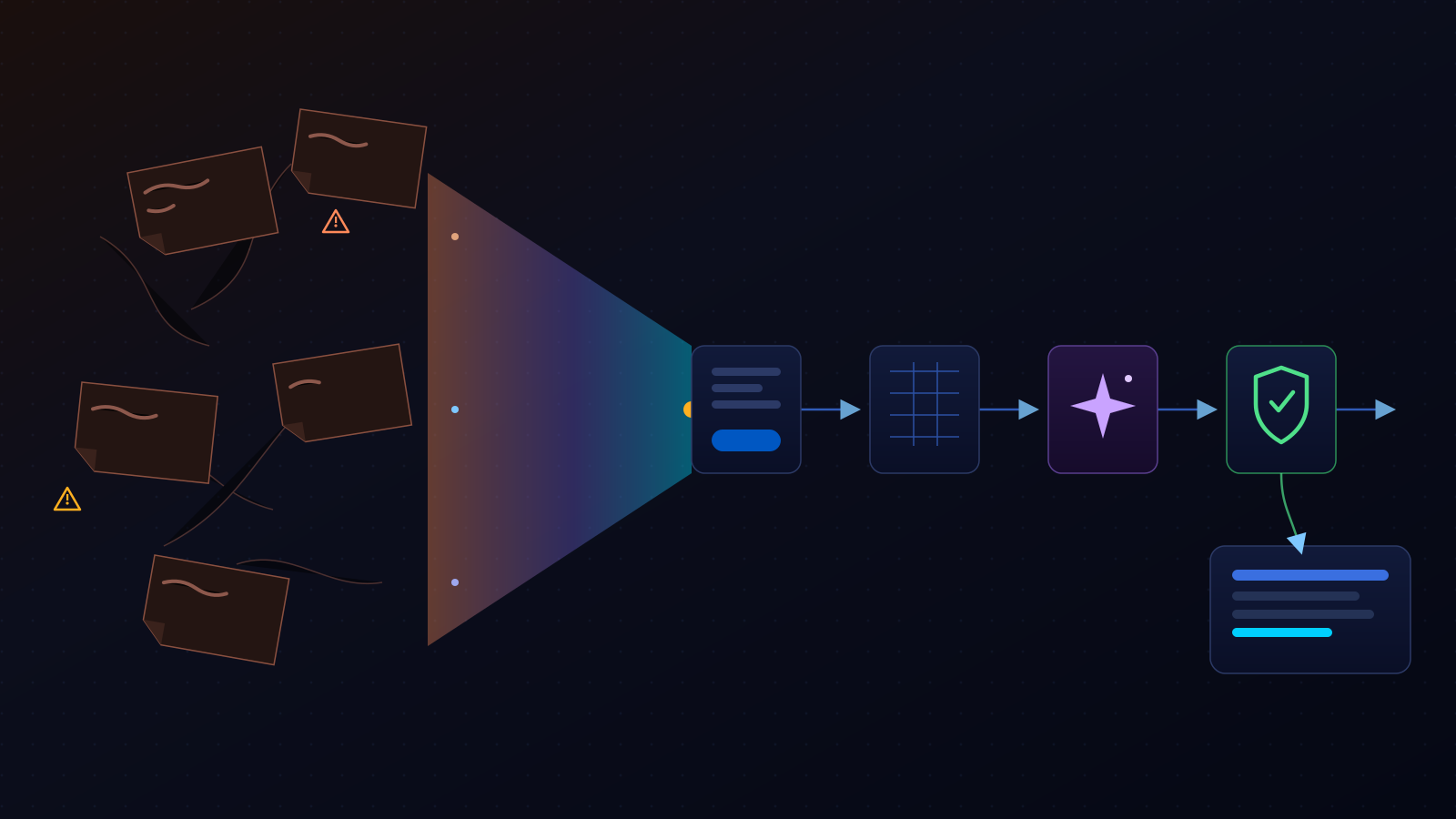
Most businesses start their AI journey backward. They pick a tool first — an AI agent, a chatbot, a shiny new platform someone mentioned in a LinkedIn post — and then spend weeks trying to find something useful for it to do. It rarely works, because the tool was never the hard part. The hard part is knowing which piece of your business is actually worth automating.
The smarter move is to find the bottleneck first, then choose the right tools to solve it. That means looking at your business the way it actually runs day to day — the forms, the spreadsheets, the follow-up emails, the reports nobody enjoys building — and identifying the repetitive, frustrating, measurable work that's quietly costing you time, creating errors, slowing down response times, or keeping skilled people stuck doing low-value admin work. That's where an AI workflow earns its keep. Not because it's impressive. Because it's useful.
Choose a repeated, time-consuming, low-risk task with clear inputs and a measurable outcome. Map the current process first, keep a human approval step where judgment matters, then test one workflow before trying to automate everything.
Stop Shopping for AI Tools First
"What AI tool should we use?" is the wrong first question. It puts the solution before the problem, and it's exactly why so many businesses end up with three AI subscriptions, a lot of enthusiasm, and nothing that actually changed how the team works.
The right first question is: what process in this business is repetitive, well-understood, and currently eating hours that could go somewhere more valuable? Once you can answer that clearly, the tool choice gets easy — often boringly easy — because the workflow itself tells you what it needs.
This is also where a lot of AI adoption quietly stalls even after the excitement wears off. We covered this in more depth in Stop Thinking About AI Prompts. Start Thinking About AI Workflows. — a single great prompt still requires a person to open a tab, paste in context, run it, and manually carry the output somewhere else. That's not a workflow. It's a habit with an AI assist. A real AI workflow automation removes that manual bridge entirely.
What Makes a Process a Good AI Workflow Candidate?
A workflow, in plain terms, is a repeatable process with a defined shape: an input that starts it, context that informs it, an action or set of rules that moves it forward, a destination where the finished work lands, human review where judgment actually matters, and a way to measure whether it's working.
AI is only one layer inside that shape — usually the layer that summarizes, classifies, drafts, compares, or generates something faster than a person could. The rest of the workflow is often made up of tools you already own: intake forms, spreadsheets, your CRM, email, a shared calendar, Google Workspace, an automation platform like Make, your analytics stack, or whatever project-management system your team already lives in. AI doesn't replace that infrastructure. It plugs into it.
The best AI workflow is not the coolest one. It is the repetitive, measurable, low-risk process that creates meaningful business value.
A good candidate process usually shares three traits: it happens often enough that fixing it pays off quickly, it follows rules that are consistent enough for a system to apply, and getting it wrong occasionally is inconvenient rather than damaging. Processes that are rare, constantly changing, or high-stakes are not good first candidates — more on that below.
The AI Workflow Opportunity Scorecard
Before you build anything, score the candidate process. Rate each factor from 1 (low) to 5 (high) based on how the task actually behaves in your business today:
| Factor | What you're scoring (1–5) |
|---|---|
| Frequency | How often does this task happen — daily, weekly, or only occasionally? |
| Time cost | How much manual human time does it consume per occurrence? |
| Error rate | How often do mistakes, missed steps, or delays happen when it's done by hand? |
| Business impact | Does improving this task actually affect leads, revenue, retention, or delivery? |
| Risk if wrong | What happens if the automated version makes a mistake before a human catches it? |
| Data readiness | Are the inputs structured and consistently available, or scattered and messy? |
| Integration readiness | Can the tools this process touches actually connect to each other? |
Prioritize workflows that score high on frequency, time cost, and business impact — and low to moderate on risk if wrong, with data and integrations that are already reasonably accessible. A process that scores high everywhere except risk is not a good first project. A process that scores high on frequency and time cost but low on risk usually is.
Five High-Value AI Workflow Ideas for Small Businesses
None of these are hypothetical, and none of them require replacing your existing tools. They're the shape a workflow takes when AI is treated as one layer inside a bigger process, not the whole solution. Every business is different, so not every example below will apply to yours — the point is the shape, not the specific stack.
1. Lead follow-up
New lead form submission → qualify and enrich the contact data → AI generates a lead summary → routes into the CRM with priority tagging → AI drafts a personalized follow-up → human approves (or edits) before it sends.
2. Performance reporting
GA4 and Google Search Console data pull → automated data pull and cleanup → AI-generated performance summary → statistically unusual changes (traffic drops, ranking swings, indexation issues) flagged → human review → client-ready report assembled and sent.
3. Content production
Content idea → research pass across current search results and source material → AI-generated outline → first draft → human fact-check and edit → approved piece enters the publishing queue → repurposed into social formats.
4. Client onboarding
New client intake form → automated check for missing information → reminders sent until required fields are complete → AI compiles a project summary → tasks are created and routed to the right team members.
5. Customer inquiry routing
Customer inquiry arrives → AI categorizes the request type → routes to the correct team or team member → AI drafts a response → human approval required before any sensitive or customer-facing reply goes out.
What Not to Automate First
Some processes look like tempting automation targets and aren't — at least not yet. Save these for later, once you've proven the approach on lower-stakes work:
Hold off on automating
- Financial payments, approvals, or pricing decisions
- Legal, medical, HR, or compliance-sensitive guidance
- Customer-facing replies that can damage your reputation if they're wrong
- Processes that are undocumented, messy, or constantly changing
- Any process without a clear human owner
- Any workflow where an incorrect output carries a high real-world cost
None of this means AI can't touch these areas eventually. It means the first version of that workflow should keep a human squarely in control until the process has been tested, refined, and trusted elsewhere first.
Map the Workflow Before You Build It
Before any tool gets involved, write the process down on paper — or a whiteboard, or a shared doc. Most businesses have never actually done this for the process they're about to automate, and skipping it is how automations end up encoding a mess instead of fixing one. A useful map answers seven questions:
- Trigger — What starts the process? A form submission, a new record, a scheduled time, a status change.
- Inputs — What data, documents, or context does the task actually need to run correctly?
- Decision points — What rules or choices determine what happens next?
- AI task — What should AI summarize, classify, draft, compare, or generate at this step?
- Human approval — Where must a person review, edit, approve, or override the output?
- Destination — Where should the finished, approved output actually land?
- Success measure — How will you know the new version is actually better than the old one?
If you can't answer all seven for a process, it isn't ready to automate yet — it needs to be documented and stabilized first. That's not wasted time. It's the step that keeps the workflow from quietly automating a broken process faster.
Keep Humans Where Judgment Matters
Human-in-the-loop AI isn't a lack of trust in the model — it's ownership of the outcome. A person should be able to review, edit, approve, reject, or override an AI-generated output before anything happens that you can't take back: before an email sends, before a payment moves, before a public-facing reply goes out.
Good places for a human checkpoint
- Before any customer-facing message sends, especially a sensitive one
- Before a lead summary or report goes to a client
- Before AI-classified work gets routed to the wrong team or priority
- Anywhere the "cost of being wrong" is higher than the "cost of a five-minute review"
Measure the Outcome Before You Scale
A workflow you can't measure is a workflow you're guessing about. Before you roll a workflow out further, track a few simple numbers: how much time it's actually saving, how often a human has to override or correct the AI's output, and whether the business outcome it was meant to improve — response time, report turnaround, lead follow-up speed — actually moved.
If the override rate stays high after the first few weeks, the workflow needs more structure, better inputs, or clearer rules — not more AI. If it drops and the time savings hold up, that's your signal to expand it or apply the same shape to the next process.
Start With One Workflow, Not an AI Empire
You don't need an AI strategy document, a dozen new subscriptions, or a plan to automate the whole business in one quarter. You need one workflow — one repetitive, well-understood, low-risk process — mapped, built with a human checkpoint, and measured for a month before you touch anything else.
The businesses that get real value out of AI aren't the ones chasing the most advanced tool. They're the ones who ran a proper AI workflow audit on their own operations, picked the one task worth fixing first, and proved it works before building the next one.
Not sure which workflow to automate first?
We run AI workflow audits for small businesses, service companies, and marketing teams — mapping your repetitive work, scoring the opportunities, and identifying the first automation worth building.
Request an AI Workflow Audit →For the difference between a one-off AI prompt and a real system, read Stop Thinking About AI Prompts. Start Thinking About AI Workflows. To see how this kind of process thinking shows up in our own client work, browse our AI-optimized content and automation services, or explore more breakdowns in the SEO Info Vault.