
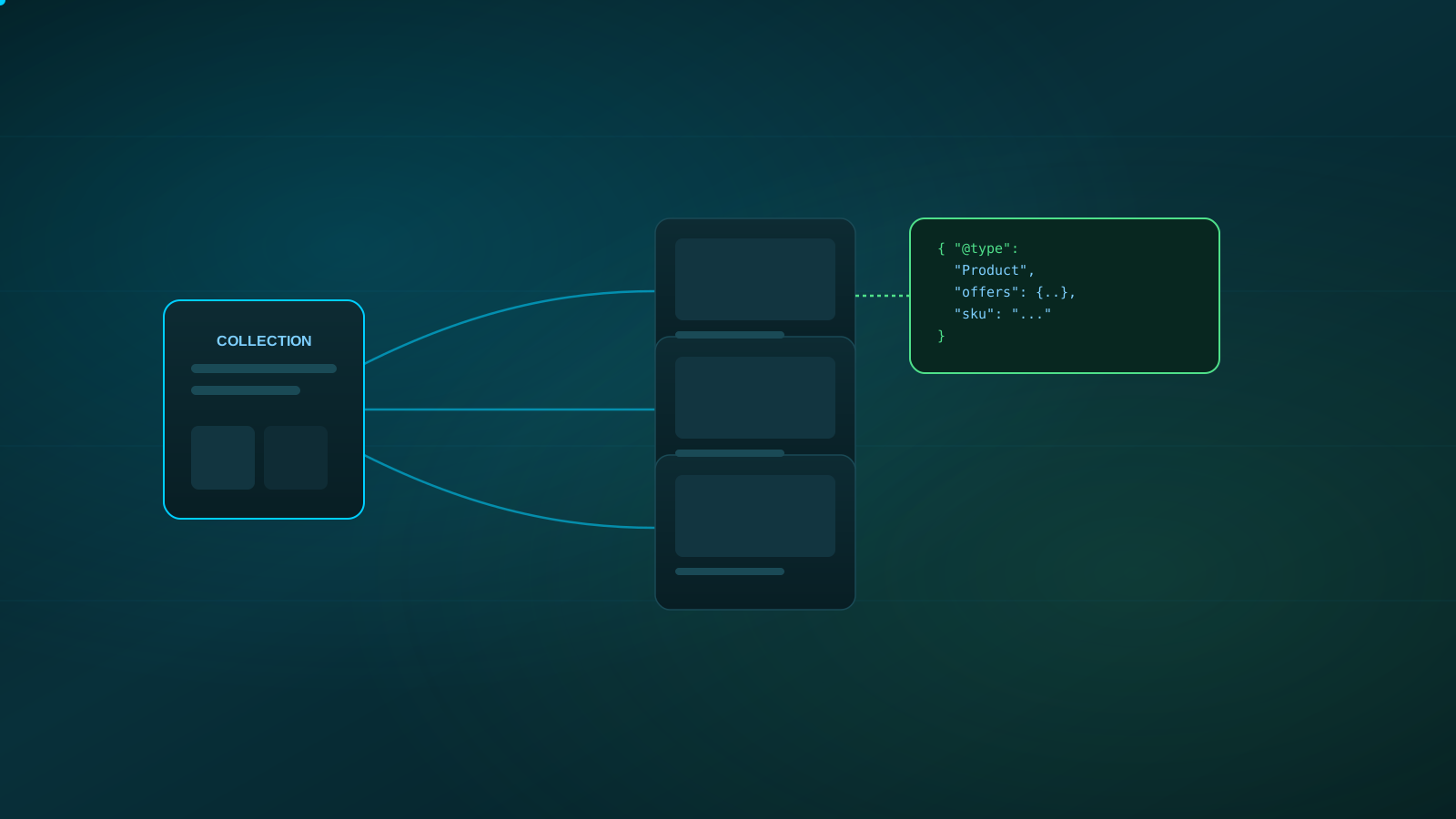
Shopify handles a lot of technical SEO basics automatically — clean base templates, reasonable default markup, and built-in sitemap generation. That's a genuine advantage over platforms that require everything to be built from scratch. It also means the SEO issues that do show up on Shopify stores tend to be platform-specific: collection and product duplication, filter-generated URLs, variant handling, and app-driven bloat that a generic SEO checklist won't catch.
None of this is a knock on the platform. It's a reason to check the specific places Shopify stores commonly develop gaps, rather than assuming the platform's defaults have already solved everything.
Reviewing collection and product page structure, resolving duplicate content from variants and filters, making sure product schema is accurate, keeping navigation and crawl paths clean, and auditing app and theme bloat that can slow the store down — on top of the technical SEO fundamentals every site needs.
Shopify SEO starts with collection and product structure
Collections are effectively your category pages, and they carry real SEO weight for broader, higher-volume search terms that individual product pages are too specific to compete for. A collection page with only a product grid and no supporting content has little to work with beyond the products themselves. Collections worth ranking for benefit from genuine, specific content — not generic boilerplate repeated across every collection — that actually describes what's in the category and why a shopper should care.
Duplicate content is a common Shopify-specific problem
Shopify's default behavior around product variants, sorting, and filtering can generate large numbers of near-identical URLs — the same product or collection reachable through several different parameter combinations. Left unmanaged, this creates duplicate content competing against itself instead of one strong page owning the topic. The fix depends on the specific theme and app setup, but the general goal is consistent: make sure variant and filtered URLs canonicalize appropriately instead of each one being treated as a separate, competing page.
Product page content and schema markup
Product pages need enough real content — genuine descriptions, not manufacturer copy pasted across dozens of competing stores — to give search engines and shoppers something substantive to work with. Product schema that accurately reflects price, availability, and genuine reviews (where they exist) helps search engines understand the page correctly; it should never state something that isn't actually true or visible on the page, since inaccurate schema is a liability, not an advantage.
Navigation, filtering, and crawl efficiency
Clear, logical navigation helps both shoppers and search engines find your most important collections and products without digging. Faceted filtering (by size, color, price, and similar attributes) is useful for shoppers but can quietly generate enormous numbers of crawlable URL combinations if it isn't configured carefully — worth reviewing specifically rather than assuming the default setup handles it correctly.
App and theme bloat can quietly slow your store down
Every app adds code, and not every app removes that code cleanly when uninstalled. A store that's accumulated apps over time — some no longer in active use — often carries more script weight than it needs, which shows up as slower load times and weaker Core Web Vitals. Periodically auditing installed apps and theme customizations for what's actually still needed is a straightforward way to recover performance without a platform migration.
A practical Shopify SEO checklist
| Area | What to check | Why it matters |
|---|---|---|
| Collections | Genuine, specific content beyond a product grid | Gives category pages something to rank on |
| Duplicate content | Variant/filter URLs canonicalizing correctly | Prevents pages competing against each other |
| Product content | Original descriptions, not manufacturer copy | Differentiates pages competing with other retailers |
| Product schema | Accurate, visible-content-aligned markup | Helps search engines understand product data correctly |
| Navigation | Clear paths to key collections and products | Supports both crawl efficiency and shopper experience |
| Faceted filters | Controlled indexing of filter-generated URLs | Prevents crawl budget waste on near-duplicate pages |
| Apps/theme | Unused apps and scripts removed | Improves load speed and Core Web Vitals |
When to get a Shopify SEO review
A Shopify-specific review is worth prioritizing when organic traffic to collection or product pages underperforms relative to your catalog size, when a Search Console report shows large numbers of duplicate or non-indexed URLs, after a theme change or app installation, or simply if no one has looked closely at the store's technical SEO since launch. Our technical SEO audit checklist covers the platform-agnostic fundamentals this builds on.
Want a Shopify-specific technical review?
We'll review your collection structure, duplicate content, schema, and app footprint — and tell you honestly what's worth fixing first.
Frequently Asked Questions
Shopify handles some technical SEO basics automatically, but its default URL structures, variant handling, and collection/filter behavior commonly create duplicate content and crawl inefficiency that need deliberate attention — especially as a catalog grows.
It can. Each added app can introduce extra scripts that slow page load and hurt Core Web Vitals. That doesn't mean avoid all apps — it means periodically auditing which ones are actually in use and removing ones that aren't.
Make sure variant and filtered URLs canonicalize to the main product or collection page where appropriate, and avoid letting every filter combination generate a separate indexable URL. The right approach depends on your theme and app setup, so this is worth reviewing carefully rather than guessing.
Product schema — accurately reflecting price, availability, and reviews where they genuinely exist — tends to matter most, since it directly describes what's on product pages. It should always match what's actually visible and accurate on the page.
Shopify's default collection pages work fine as a foundation, but adding genuine, specific content to key collection pages — not thin boilerplate — tends to help them compete for broader category-level searches.
For the platform-agnostic fundamentals every store still needs, see our technical SEO audit checklist. If AI-mediated shopping research is a growing part of your traffic, read what AEO and GEO actually mean for your business, or browse more breakdowns in the SEO Info Vault.